




mradermacher/MM-RAIT-Qwen2.5-VL-GGUF
8B • Updated • 112 • 1
Need help to make the dataset viewer work? Make sure to review how to configure the dataset viewer, and open a discussion for direct support.
Click the links below to view our paper and Github project.
If you find this work useful, please cite our paper and give us a shining star 🌟 in Github
@misc{liu2025benchmarkingretrievalaugmentedgenerationmultimodal,
      title={Benchmarking Retrieval-Augmented Generation in Multi-Modal Contexts},
      author={Zhenghao Liu and Xingsheng Zhu and Tianshuo Zhou and Xinyi Zhang and Xiaoyuan Yi and Yukun Yan and Yu Gu and Ge Yu and Maosong Sun},
      year={2025},
      eprint={2502.17297},
      archivePrefix={arXiv},
      primaryClass={cs.AI},
      url={https://arxiv.org/abs/2502.17297},
}
The M²RAG benchmark evaluates Multi-modal Large Language Models (MLLMs) by using multi-modal retrieved documents to answer questions. It includes four tasks: image captioning, multi-modal QA, fact verification, and image reranking, assessing MLLMs’ ability to leverage knowledge from multi-modal contexts.
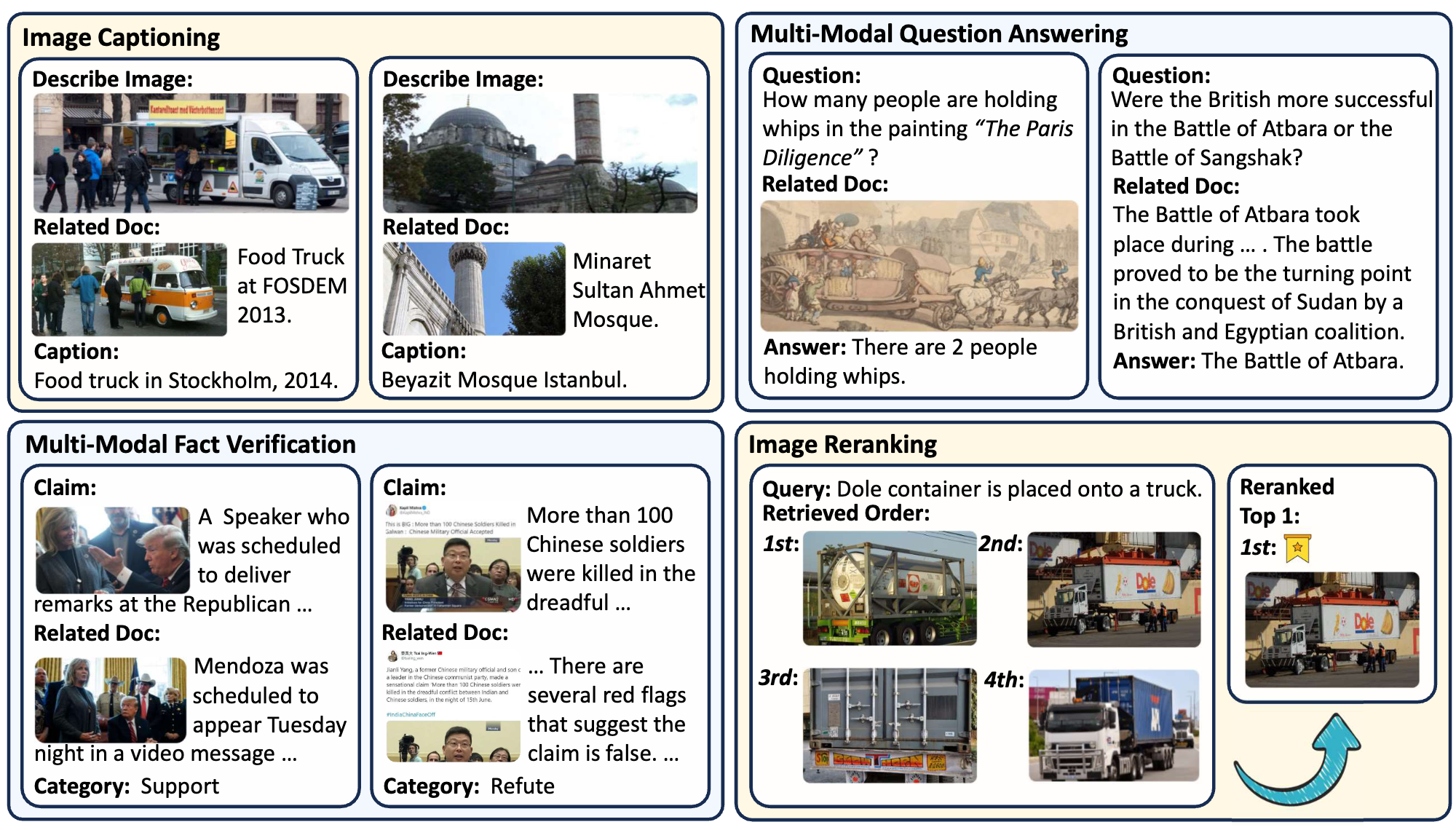
The data storage structure of M2RAG is as follows:
M2RAG/
    ├──fact_verify/
    ├──image_cap/
    ├──image_rerank/
    ├──mmqa/
    ├──imgs.lineidx.new
    └──imgs.tsv
❗️Note:
If you encounter difficulties when downloading the images directly, please download and use the pre-packaged image file M2RAG_Images.zip instead.
To obtain the imgs.tsv, you can follow the instructions in the WebQA project. Specifically, you need to first download all the data from the folder WebQA_imgs_7z_chunks, and then run the command 7z x imgs.7z.001to unzip and merge all chunks to get the imgs.tsv.